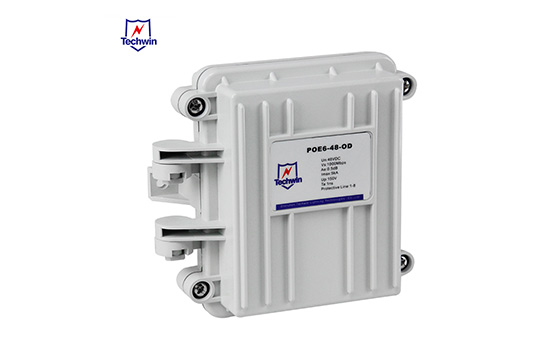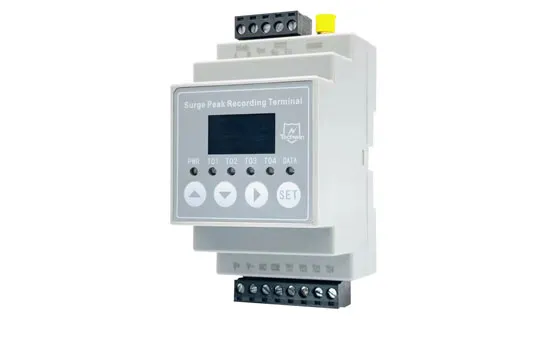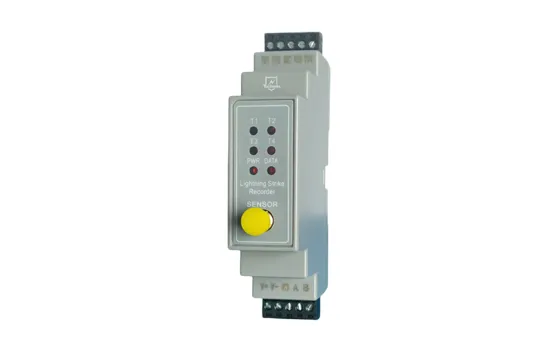

A Surge Protective Device (SPD) is a critical component designed to safeguard electrical systems and equipment from voltage surges caused by lightning strikes, power grid fluctuations, or switching transients. SPDs divert excess voltage to the ground, clamping the voltage to a safe level and preventing damage to connected devices.
1. Components:
Metal Oxide Varistors (MOVs): Voltage-dependent resistors that clamp surges.
Gas Discharge Tubes (GDTs): Ionize to create a low-resistance path during surges.
Transient Voltage Suppression (TVS) Diodes: Fast-acting components for sensitive electronics.
Types:
Type 1 (Service Entrance): Installed at the main electrical panel to handle large external surges (e.g., lightning).
Type 2 (Distribution Panels): Used in subpanels to protect against residual surges and switching transients.
Type 3 (Point-of-Use): Installed near sensitive devices (e.g., outlets) for localized protection.
1. Selection:
Choose the SPD type based on location (Type 1 for main panels, Type 2 for subpanels, Type 3 for outlets).
2. Ensure compatibility with system voltage (e.g., 120/240V single-phase, 480V three-phase).
Safety Precautions:
1. Turn off power at the main breaker before installation.
2. Use appropriate personal protective equipment (PPE).
3. Mounting:
Type 1/2: Mount on a DIN rail or enclosure near the electrical panel.
Type 3: Install directly at outlets or within power strips.
4. Wiring:
Single-Phase: Connect line (L) and neutral (N) conductors to the SPD terminals, then ground (PE) to the grounding bus.
Three-Phase: Connect all phases (L1, L2, L3), neutral, and ground.
Use short, straight conductors (≤0.5m) to minimize impedance. Follow manufacturer guidelines for wire sizing (e.g., 10 AWG).
5. Grounding:
Ensure a low-impedance path to the grounding electrode system.
Bond all grounding points to prevent potential differences.
6. Cascaded Protection:
Combine Type 1 (main panel), Type 2 (subpanels), and Type 3 (outlets) for layered defense.
7. Compliance:
Adhere to standards like NEC Article 285 (North America) or IEC 61643 (international).
Indicators: Check LED status lights regularly to confirm functionality.
Replacement: Replace SPDs after major surges or when indicators signal end-of-life.
Inspection: Periodically inspect for physical damage or degradation, even without surges.
Common Mistakes to Avoid:
Using overly long grounding wires.
Mixing SPD types improperly (e.g., installing Type 3 at a main panel).
Ignoring coordination between SPDs in cascaded systems.
By following these guidelines, SPDs effectively mitigate surge risks, ensuring prolonged equipment lifespan and system reliability. Always consult spd manufacturer instructions and local codes for precise installation details.
 Where to install surge protectors in a solar power systemMarch 14, 2023viewPower Supply Protection Devices of Smoke and Heat Exhaust Ventilation (SHEV) SystemJune 26, 2024Smoke and heat exhaust ventilation systems (SHEV) play a critical role in enhancing building fire safety by ensuring smoke-free escape routes during a fire and providing residents with more time to es...viewProtect Your Surveillance: The Importance of Surge Protectors for CCTV CamerasJune 6, 2024In today's world, ensuring the safety and security of your property is more crucial than ever. Closed-circuit television (CCTV) cameras have become an essential tool in monitoring and safeguarding...viewTerms and definitions of IEC 61643-11: LOW-VOLTAGE SURGE PROTECTIVE DEVICES (1/2)December 8, 2022The professional explanation of the main terms of surge protective devicesviewUnderstanding Your Needs: A Guide to Selecting the Perfect Surge ProtectorMarch 1, 2024In an era dominated by electronic devices, protecting them from power surges is crucial. A surge protector acts as a guardian, shielding your valuable equipment from sudden voltage spikes. However, no...viewHow to install a SPD?August 11, 2023Techwin surge protective devices (SPDs) are designed to protect electrical equipment from power surges. Installing an SPD is essential to ensuring the safety and longevity of your devices. Here is a s...view
 EN
EN
 jp
jp  ko
ko  fr
fr  de
de  es
es  it
it  ru
ru  pt
pt  ar
ar  vi
vi  th
th  ro
ro  bg
bg  nl
nl