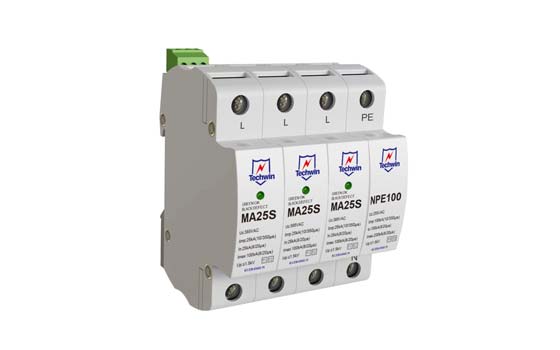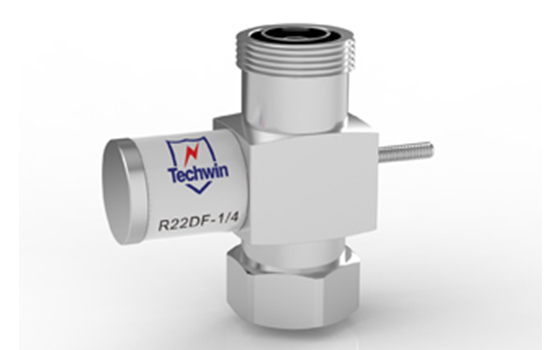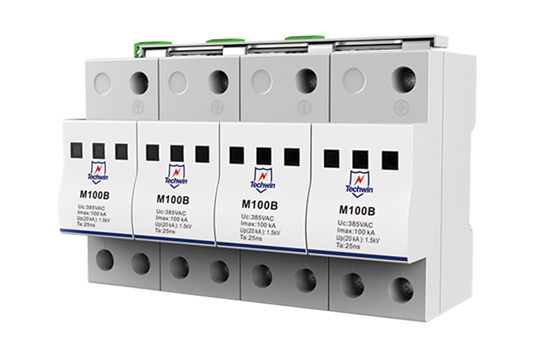


Techwin surge protective devices (SPDs) are designed to protect electrical equipment from power surges. Installing an SPD is essential to ensuring the safety and longevity of your devices. Here is a step-by-step guide on how to install a Techwin SPD.
1. Choose the right location: Select a suitable location near the electrical panel or equipment that needs protection. The SPD should be installed as close to the equipment as possible to maximize its effectiveness.
2. Turn off the power supply: Before installation, make sure to turn off the power supply to avoid any electrical accidents or damage to the equipment. This can usually be done by switching off the main circuit breaker.
3. Wire connection: Carefully connect the wires of the SPD to the power circuit. Follow the manufacturer's instructions and use appropriate tools for the job. Ensure that the wires are securely tightened to prevent loose connections.
4. Grounding: Proper grounding is essential for the SPD to function effectively. Connect the grounding wire of the SPD to a reliable and properly installed earth ground. This will divert any excess electrical current to the ground, protecting the equipment.
5. Mount the SPD: Install the Techwin SPD securely on the wall or electrical panel using the provided mounting brackets or screws. Ensure it is placed in a location that is easily accessible for future maintenance or replacements.
6. Reconnect the power supply: Once the installation is complete, turn the power supply back on and check that the equipment is functioning properly. It is recommended to test the SPD periodically to ensure its continued effectiveness.
Techwin surge protective devices offer a range of product parameters and features to suit different electrical systems. These include voltage rating, current capacity, response time, and the ability to handle different types of surges. With Techwin SPDs, you can rest assured that your devices are protected against power surges, voltage spikes, and electrical disturbances.
In conclusion, installing a Techwin surge protective device is a straightforward process that involves careful wire connections, proper grounding, and mounting. By following the manufacturer's instructions and considering the specific needs of your electrical system, you can safeguard your equipment and ensure its uninterrupted performance. Trust Techwin to provide reliable and efficient surge protection for your valuable devices.
 The difference of Type1/Type 1+2 SPD and Type 2 SPDAugust 11, 2023TECHWIN surge protectors offer reliable and efficient protection against power surges and electrical disturbances. Our range of surge protection devices includes Type 1/Type 1+2 and Type 2 SPDs, speci...viewWhat if the Connecting Wire of the Lightning Surge Protector is Too Long?November 9, 2021In lightning protection engineering, when arranging surge protectors, the connecting wires are required to be short and straight. However, in many cases at the construction site, the connecting wires ...viewTechnical terminology in IEC61643 standards-1December 8, 20212.1 Technical Term2.1.1. Lightning electromagnetic impulse (LEMP)It is a source of interference. Refers to the effect caused by lightning directly hitting the lightning protection device of a building...viewThe Difference Between Surge Protector and Miniature Circuit BreakerJune 20, 20221. Surge protectorSurge protector, also known as lightning protector, is a protection device designed to prevent various electronic equipment, instruments, and communication lines from being subjected...viewChoosing and Applying AC SPDJuly 3, 2024With the continuous development of modern power systems, AC surge protection devices (SPD) are playing an increasingly important role in power systems. AC SPD can effectively protect electrical system...viewIntegrated Lightning Protection Solution: Surge Protector for CCTV CameraJune 26, 2024CCTV video surveillance systems can be used for CCTV video surveillance systems. To ensure that the CCTV video surveillance system can operate continuously and stably, it is essential to integrate lig...view
 EN
EN
 jp
jp  ko
ko  fr
fr  de
de  es
es  it
it  ru
ru  pt
pt  ar
ar  vi
vi  th
th  ro
ro  bg
bg  nl
nl